
260607
上次我们已经接入了 ROS2 的探索节点,接下来将它接入到 launch 入口中吧。
我们需要创建 src/kibot_one_control/launch/frontier_exploration.launch.py 这个文件。
先写入下面的内容放在头部吧:
from pathlib import Path

from ament_index_python.packages import get_package_share_directory  # type: ignore
from launch import LaunchDescription  # type: ignore
from launch.actions import DeclareLaunchArgument, IncludeLaunchDescription  # type: ignore
from launch.conditions import IfCondition  # type: ignore
from launch.launch_description_sources import PythonLaunchDescriptionSource  # type: ignore
from launch.substitutions import LaunchConfiguration  # type: ignore
from launch_ros.actions import Node  # type: ignore
然后追加上去 02 阶段的 Nav2 Launch:
def generate_launch_description() -> LaunchDescription:
    sim_share = Path(get_package_share_directory(package_name="kibot_one_sim"))
    nav2_launch = sim_share / "launch" / "nav2.launch.py"
然后声明三个所需的参数:
    world_arg = DeclareLaunchArgument(
        name="world",
        default_value=str(sim_share / "worlds" / "kibot_one_obstacles.world.sdf"),
        description="Gazebo 世界的绝对路径。"
    )
    use_rviz_arg = DeclareLaunchArgument(
        name="use_rviz",
        default_value="false",
        description="是否启动 RViz Nav2 默认视图"
    )
    start_explore_arg = DeclareLaunchArgument(
        name="start_explorer",
        default_value="true",
        description="是否启动 frontier_explorer 节点"
    )
最后 Include 阶段02 的 Nav2 Launch。
继续追加:
    start_nav2 = IncludeLaunchDescription(
        launch_description_source=PythonLaunchDescriptionSource(launch_file_path=str(nav2_launch)),
        launch_arguments={
            "world": LaunchConfiguration(variable_name="world"),
            "use_rviz": LaunchConfiguration(variable_name="use_rviz")
        }.items(),
    )
最后启动 explorer 节点:
    explorer = Node(
        package="kibot_one_control",
        executable="frontier_explorer",
        name="frontier_explorer",
        output="screen",
        parameters=[{"use_sim_time": True}],
        condition=IfCondition(predicate_expression=LaunchConfiguration(variable_name="start_explorer"))
    )
把上面的这些都放到我们的 Description 中就可以了:
    return LaunchDescription(initial_entities=[
        world_arg,
        use_rviz_arg,
        start_explore_arg,
        start_nav2,
        explorer
    ])
看看我们的参数:
(.venv) jese--ki@KiBall:~/Projects/dev/KiBots/KiBotTwo$ ros2 launch kibot_one_control frontier_exploration.launch.py --show-args
Arguments (pass arguments as '<name>:=<value>'):

    'world':
        Gazebo 世界文件的绝对路径。
        (default: '/home/jese--ki/Projects/dev/KiBots/KiBotTwo/install/kibot_one_sim/share/kibot_one_sim/worlds/kibot_one_obstacles.world.sdf')

    'use_rviz':
        是否启动 RViz Nav2 默认视图。
        (default: 'false')

    'start_explorer':
        是否启动 frontier_explorer 节点。
        (default: 'true')

    'params_file':
        Nav2 参数文件路径。
        (default: '/home/jese--ki/Projects/dev/KiBots/KiBotTwo/install/kibot_one_sim/share/kibot_one_sim/config/nav2_params.yaml')

    'use_sim_time':
        Nav2 是否使用仿真时间。
        (default: 'true')

    'autostart':
        是否自动激活 Nav2 lifecycle nodes。
        (default: 'true')

    'use_composition':
        是否使用 Nav2 组合节点容器。
        (default: 'False')

    'use_respawn':
        Nav2 节点退出后是否自动重启。
        (default: 'False')

    'log_level':
        Nav2 日志等级。
        (default: 'info')

    'start_sim':
        是否同时启动 Gazebo 和 ros_gz_bridge。
        (default: 'true')

    'run_on_start':
        是否使用 -r 让 Gazebo 启动后立即运行仿真。
        (default: 'true')

    'start_slam':
        是否同时启动 slam_toolbox。
        (default: 'true')

    'start_nav2':
        是否启动 Nav2 navigation stack。
        (default: 'true')

    'use_lidar_static_tf':
        透传给 slam.launch.py,用于补齐 base_link -> lidar_link。
        (default: 'true')

    'check_runtime_deps':
        启动前是否检查 Nav2/FastCDR 运行库兼容性。
        (default: 'true')

    'use_lifecycle_manager':
        Enable bond connection during node activation
        (default: 'false')

    'slam_params_file':
        Full path to the ROS2 parameters file to use for the slam_toolbox node
        (default: '/opt/ros/jazzy/share/slam_toolbox/config/mapper_params_online_async.yaml')

    'namespace':
        Top-level namespace
        (default: '')

    'container_name':
        the name of conatiner that nodes will load in if use composition
        (default: 'nav2_container')
目前在代码这一块写的差不多了,我们接下来可以来验证一下:
(.venv) jese--ki@KiBall:~/Projects/dev/KiBots/KiBotTwo$ PYTHONPATH=src/kibot_one_control \
  python3 -m pytest -q src/kibot_one_control/test/test_frontier_core.py
...                                                                                                                                                                                   [100%]
3 passed in 0.01s
算法核心单测通过。
然后把我们的节点和启动文件都进行注册。
修改一下我们的src/kibot_one_control/setup.py:
# mypy: disable-error-code="import-untyped"

from setuptools import find_packages, setup

package_name = 'kibot_one_control'

setup(
    name=package_name,
    version='0.0.0',
    packages=find_packages(exclude=['test']),
    data_files=[
        ('share/ament_index/resource_index/packages',
            ['resource/' + package_name]),
        ('share/' + package_name, ['package.xml']),
        ('share/' + package_name + '/launch', [
            'launch/control_console.launch.py',
            'launch/frontier_exploration.launch.py',
            'launch/follow_phase1.launch.py',
            'launch/follow_phase2.launch.py',
        ]),
    ],
    install_requires=['setuptools'],
    zip_safe=True,
    maintainer='jese--ki',
    maintainer_email='2094901072@qq.com',
    description='机器人核心逻辑',
    license='Apache-2.0',
    entry_points={
        'console_scripts': [
            'cmd_vel_watchdog = kibot_one_control.cmd_vel_watchdog:main',
            'control_console = kibot_one_control.control_console:main',
            'keyboard_teleop = kibot_one_control.keyboard_teleop:main',
            'mode_control = kibot_one_control.mode_control:main',
            'flag_pose_publisher = kibot_one_control.flag_pose_publisher:main',
            'follow_controller = kibot_one_control.follow_controller:main',
            'frontier_explorer = kibot_one_control.frontier_explorer:main',
        ],
    },
)
然后修改一下 src/kibot_one_control/package.xml:
<?xml version="1.0"?>
<?xml-model href="http://download.ros.org/schema/package_format3.xsd" schematypens="http://www.w3.org/2001/XMLSchema"?>
<package format="3">
  <name>kibot_one_control</name>
  <version>0.0.0</version>
  <description>机器人核心逻辑</description>
  <maintainer email="2094901072@qq.com">jese--ki</maintainer>
  <license>Apache-2.0</license>

  <depend>rclpy</depend>
  <depend>ament_index_python</depend>
  <depend>action_msgs</depend>
  <depend>geometry_msgs</depend>
  <depend>kibot_one_interface</depend>
  <depend>kibot_one_sim</depend>
  <depend>launch</depend>
  <depend>launch_ros</depend>
  <depend>nav_msgs</depend>
  <depend>nav2_msgs</depend>
  <depend>rcl_interfaces</depend>
  <depend>sensor_msgs</depend>
  <depend>tf2_ros</depend>

  <export>
    <build_type>ament_python</build_type>
  </export>
</package>
然后构建,试着运行一下看看:
timeout 35s ros2 launch kibot_one_control frontier_exploration.launch.py use_rviz:=false
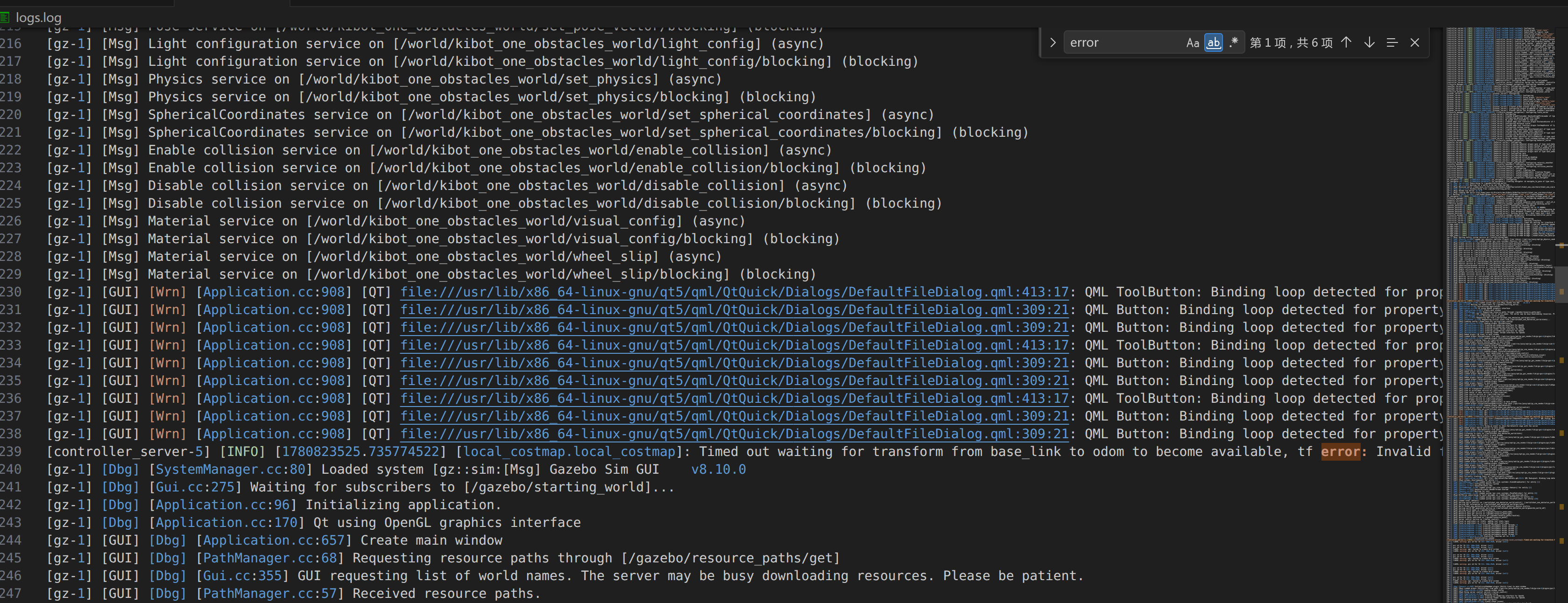
还是有几个错误的,主要集中在我们变量名称错误以及动作结果的回调错误。
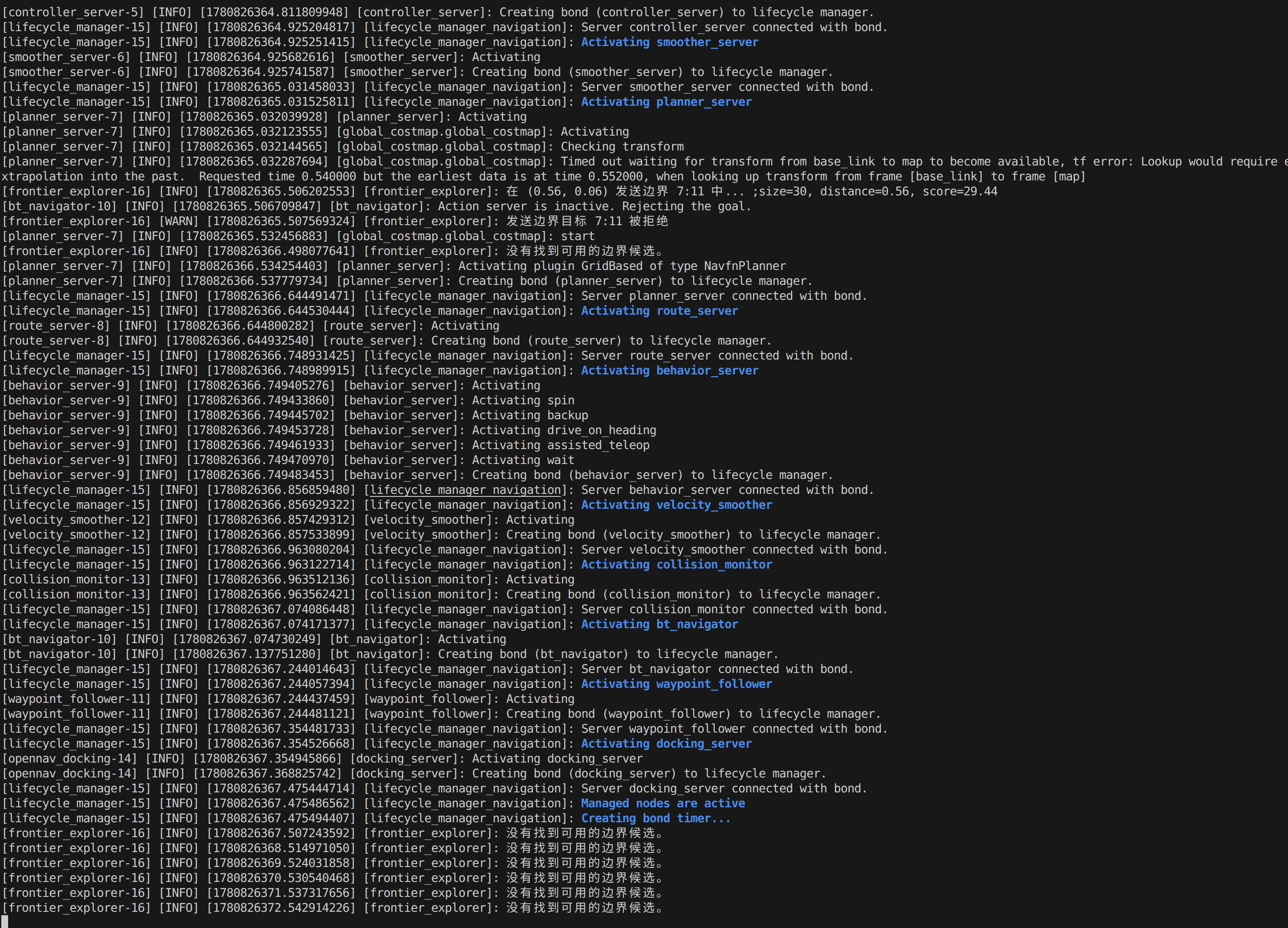
修复后响应就基本正常了:
综上,我们目前完成了我们的 03-边界探索 的部分。