
260407
目前我们完成了 watchdog,可以继续完成我们剩下的控制系统了。
首先我们要做的是,将我们的 watchdog 接入到我们的 launch 中。
我们可以创建 src/kibot_one_sim/launch/kibot_one.launch.py, 在其中写入如下的内容:
# mypy: disable-error-code="import-untyped"

from pathlib import Path

from ament_index_python.packages import get_package_share_directory
from launch import LaunchDescription
from launch.actions import DeclareLaunchArgument, IncludeLaunchDescription
from launch.launch_description_sources import PythonLaunchDescriptionSource
from launch.substitutions import LaunchConfiguration
from launch_ros.actions import Node


def generate_launch_description() -> LaunchDescription:
    sim_pkg_share = Path(get_package_share_directory('kibot_one_sim'))
    sim_with_bridge_launch = sim_pkg_share / 'launch' / 'sim_with_bridge.launch.py'
    default_world = sim_pkg_share / 'worlds' / 'kibot_one.world.sdf'

    world_arg = DeclareLaunchArgument(
        'world',
        default_value=str(default_world),
        description='Gazebo 世界文件的绝对路径。'
    )

    stop_time_period_arg = DeclareLaunchArgument(
        'stop_time_period',
        default_value='0.5',
        description='cmd_vel watchdog 超时时间,单位秒。'
    )

    watch_time_period_arg = DeclareLaunchArgument(
        'watch_time_period',
        default_value='0.1',
        description='cmd_vel watchdog 检查周期,单位秒。'
    )

    start_sim = IncludeLaunchDescription(
        PythonLaunchDescriptionSource(str(sim_with_bridge_launch)),
        launch_arguments={
            'world': LaunchConfiguration('world'),
        }.items()
    )

    start_cmd_vel_watchdog = Node(
        package='kibot_one_control',
        executable='cmd_vel_watchdog',
        name='cmd_vel_watchdog',
        output='screen',
        parameters=[{
            'stop_time_period': LaunchConfiguration('stop_time_period'),
            'watch_time_period': LaunchConfiguration('watch_time_period'),
        }],
    )

    return LaunchDescription([
        world_arg,
        stop_time_period_arg,
        watch_time_period_arg,
        start_sim,
        start_cmd_vel_watchdog,
    ])
相当于是,我们 include 了我们的 sim_with_bridge.launch.py 后就可以了。
我们进行构建,然后启动看看。
ros2 launch kibot_one_sim kibot_one.launch.py
嗯...似乎有这样的报错:
(.venv) jese--ki@KiBall:~/Projects/dev/KiBots/KiBotOne$ ros2 launch kibot_one_sim kibot_one.launch.py
[INFO] [launch]: All log files can be found below /home/jese--ki/.ros/log/2026-04-07-18-15-32-576616-KiBall-137137
[INFO] [launch]: Default logging verbosity is set to INFO
[INFO] [gz-1]: process started with pid [137154]
[INFO] [bridge_node-2]: process started with pid [137155]
[INFO] [cmd_vel_watchdog-3]: process started with pid [137156]
[cmd_vel_watchdog-3] Traceback (most recent call last):
[cmd_vel_watchdog-3]   File "/home/jese--ki/Projects/dev/KiBots/KiBotOne/install/kibot_one_control/lib/kibot_one_control/cmd_vel_watchdog", line 33, in <module>
[cmd_vel_watchdog-3]     sys.exit(load_entry_point('kibot-one-control==0.0.0', 'console_scripts', 'cmd_vel_watchdog')())
[cmd_vel_watchdog-3]              ^^^^^^^^^^^^^^^^^^^^^^^^^^^^^^^^^^^^^^^^^^^^^^^^^^^^^^^^^^^^^^^^^^^^^^^^^^^^^^^^^^^^^
[cmd_vel_watchdog-3]   File "/home/jese--ki/Projects/dev/KiBots/KiBotOne/install/kibot_one_control/lib/python3.12/site-packages/kibot_one_control/cmd_vel_watchdog.py", line 71, in main
[cmd_vel_watchdog-3]     with rclpy.init(args=args): # type: ignore
[cmd_vel_watchdog-3] TypeError: 'NoneType' object does not support the context manager protocol
[ERROR] [cmd_vel_watchdog-3]: process has died [pid 137156, exit code 1, cmd '/home/jese--ki/Projects/dev/KiBots/KiBotOne/install/kibot_one_control/lib/kibot_one_control/cmd_vel_watchdog --ros-args -r __node:=cmd_vel_watchdog --params-file /tmp/launch_params_m_37whnh'].
通过排查,我发现是我们的 src/kibot_one_control/kibot_one_control/cmd_vel_watchdog.py 的 main函数写的有问题。
大致就是,我们使用了 with 作为上下文管理器,但是我们的 rclpy.init(...) 可能会返回 None 对象,因此需要有一个 finally来进行关闭。
这是我们之前的代码:
def main(args = None) -> None:
    try:
        with rclpy.init(args=args):
            cmd_vel_watchdog = CMDVelWatchDog()
            rclpy.spin(cmd_vel_watchdog)
    except (KeyboardInterrupt, ExternalShutdownException):
        pass
需要改成这样的:
def main(args=None) -> None:
    cmd_vel_watchdog = None
    try:
        rclpy.init(args=args)
        cmd_vel_watchdog = CMDVelWatchDog()
        rclpy.spin(cmd_vel_watchdog)
    except (KeyboardInterrupt, ExternalShutdownException):
        pass
    finally:
        if cmd_vel_watchdog is not None:
            cmd_vel_watchdog.destroy_node()
        rclpy.shutdown()
现在通过上面的命令就可以正常拉起来了。
我们可以看到我们已经有了我们所需的话题和 watchdog 节点:
(.venv) jese--ki@KiBall:~/Projects/dev/KiBots/KiBotOne$ ros2 topic list
/cmd_vel
/cmd_vel_raw
/odom
/parameter_events
/rosout
/tf
(.venv) jese--ki@KiBall:~/Projects/dev/KiBots/KiBotOne$ ros2 node list
/cmd_vel_watchdog
/kibot_one_bridge
现在就可以看到我们的小车在我们停止发布话题后也正常停下了:
ros2 topic pub --rate 10 /cmd_vel_raw geometry_msgs/msg/Twist "{linear: {x: 0.2, y: 0.0, z: 0.0}, angular: {x: 0.0, y: 0.0, z: 0.0}}"
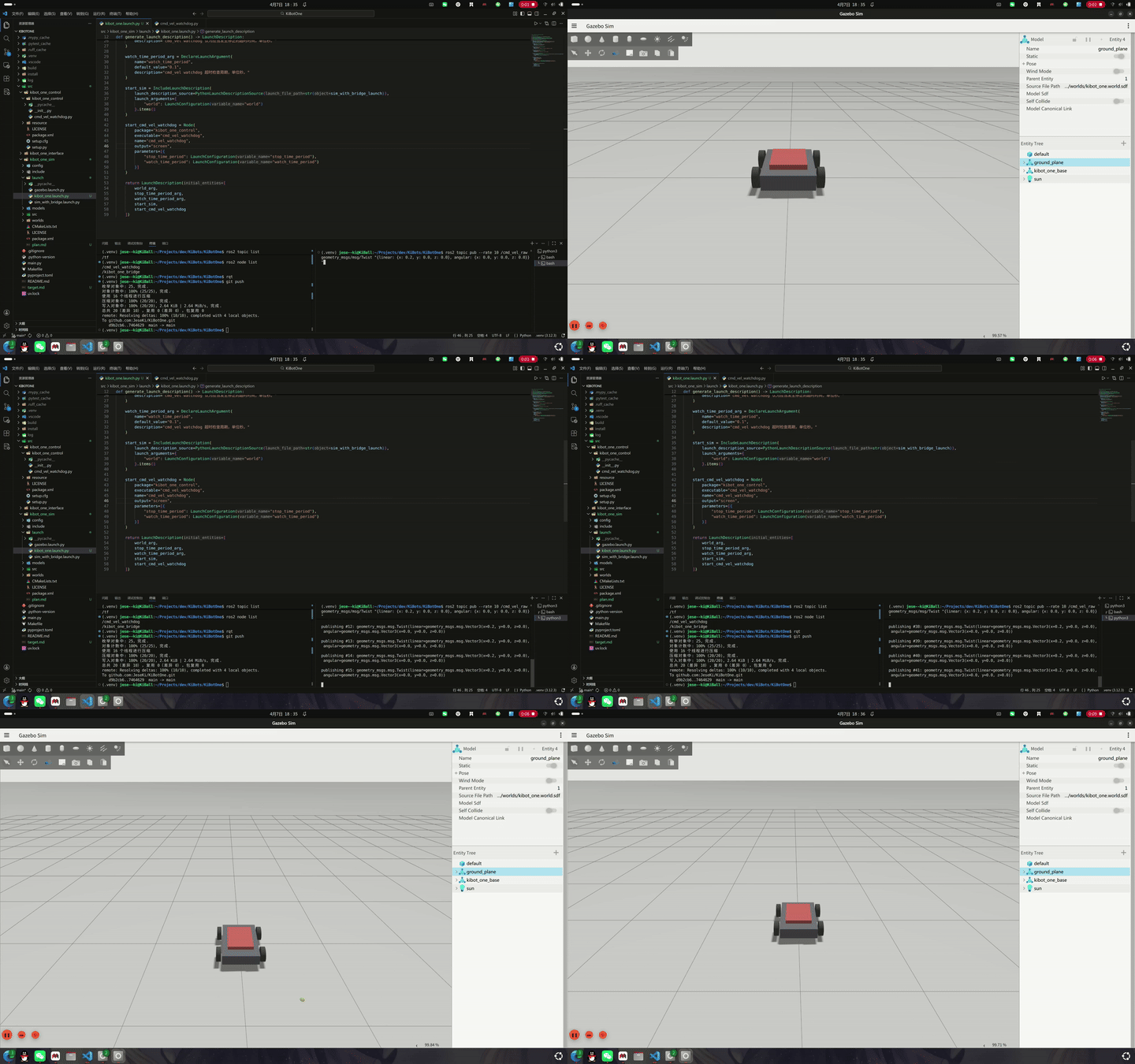
通过 echo 我们 cmd_vel 话题的内容,也可以看到我们的 watchdog在上游停止发布话题后发布了一条速度为 0 的消息:
linear:
  x: 0.2
  y: 0.0
  z: 0.0
angular:
  x: 0.0
  y: 0.0
  z: 0.0
---
linear:
  x: 0.2
  y: 0.0
  z: 0.0
angular:
  x: 0.0
  y: 0.0
  z: 0.0
---
linear:
  x: 0.0
  y: 0.0
  z: 0.0
angular:
  x: 0.0
  y: 0.0
  z: 0.0
---
就这样,我们就将我们的 watchdog 给集成到了我们的 launch 中。
以上。